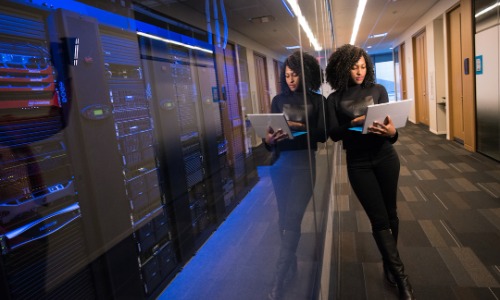
Have you ever fantasized about having all that you adore about TV, movies, and music in one place—ready to play on any TV in your house? That’s the magic of having a media server in your home lab. It’s not merely about viewing things. It’s about building a smart setup that makes your digital life easier, gets it more organized, and quite frankly, makes it a whole lot cooler.
But first, you’re likely thinking: what in the world is a media server, and why on earth would I want to go to the hassle of installing one in my house? Let’s make things more clear.
Why Bother Building One?
Picture a media server as your own home, Netflix or Spotify. It is a device or computer that stores your media content and streams them to other devices—TVs, phones, tablets, laptops—anytime you desire.
So why go through the trouble and make one for yourself? Easy:
You save money by avoiding monthly subscriptions.
You have full control of your content.
You learn a lot about networking, storage, and technology in general.
Having a media server at home is the ideal weekend activity for any geek who loves messing around, needs to be independent, or is just curious about things.
What Gear Do You Really Need?
You don’t have to buy a costly server rack or build a robot. You just need the basic system.
Here’s what you need
- A computer (even an old one that you don’t use anymore).
- Storage (a big hard drive or two for all your media).
- A wired connection (ideally, but Wi-Fi will do as well).
If you want to go high-end, you can use a compact PC like a Raspberry Pi or even a network-specific Network Attached Storage (NAS) appliance. Most people, however, start with what they already have in their homes.
Once you’ve chosen your gear, the next step is to choose the software that will drive it.
The Best Equipment to Power Your Installation
This is where things get interesting. There are a few wonderful apps out there to help you run a media server from your home lab. Each has a different look and feel, along with functionality.
- Plex: Perhaps the most popular. It’s easy to use, supports almost any device, and has both a free and paid version.
- Jellyfin: Completely free and open-source. Ideal if you want more control and are willing to dig through settings.
- Emby: Somewhere in between Plex and Jellyfin—half free, half paid.
Whatever you do, installation is usually not difficult. Download the app, install it, and follow the instructions. In most cases, you will be up and running in less than an hour.
Getting Your Files Organized
Now that your software is installed, it’s time to fill your server with movies, TV shows, music, and photos. Don’t just dump everything into one folder, though. Organize.
Try this:
- Put them into separate folders for Movies, Television Shows, Music, and Photos.
- Name files correctly, e.g., The_Matrix_1999.mp4 or Breaking_Bad_S01E01.mkv.
- Avoid unusual-looking characters or punctuation in file titles—these vex some media packages.
A good organization helps your server grab cover art, episode summaries, and even subtitles without lifting a finger. And it just makes life easier when you’re surfing.
Playing Your Media Anywhere
Once you have everything installed, it’s time for the real magic: broadcasting your content.
With the right configuration, you can stream media to your living room TV, your phone out in the backyard, or your tablet on a road trip. That’s the beauty of having a media server in your home lab—it turns your house into a media-sharing powerhouse.
Most also carry several user accounts. That way, your brother isn’t gaming with your playlists, and your parents aren’t viewing your anime library.
Other Things That Make It Great
OK, you’ve got the basics now. But then you might feel like levelling up.
Below are some extra tools to advance it further:
- Sonarr and Radarr: They are able to download and find new episodes or movies automatically when they are available.
- Tautulli: Excellent way to track what and when it was watched.
- Remote Access: Want to watch a movie while you’re on vacation? Make remote access available through your router or use native functionality from Plex or Emby.
Having a media server in your home lab is not merely about storage; it’s about establishing a complete experience.
Keep It Safe and Running Smooth
As with any tech project, you’ll want to keep a close eye on things. Back up your files every now and then so that you don’t lose anything. Update your server software every now and then to get new features and stay secure. And don’t forget to test your network speed—buffering is nobody’s friend.
It’s expensive, but once you’ve got it installed, your system will pretty much take care of itself. And you’ll be surprised at how much more efficient your media experience is.
Closing Remark
Having a media server at home means being free. No more app hopping, no more missing that one show, no more paying money for something you already possess. Are you a film buff, a music aficionado, or just want to be in control of your digital life? This home installation is one of the great tech enhancements you can have. And the great news is, it’s just plain fun. You get to build something, fiddle with it, and make it do anything you want. And it’s a great way to learn more about networking, storage, and system design—skills that prove useful far beyond your living room.
Already have a system up and configured? Share the good news with us. Not certain? Start small. Each step will lead you to a media configuration that is truly yours.
For more advice and home laboratory experiments, look at other tutorials here at mattadam.com. We’re here to help you level up your home tech—one experiment at a time.