This step is really optional, but it’s helpful. The idea here is that you will have a VM running docker, kubectl, and some other utilities, and from this VM, you will deploy the management k8s cluster, guest clusters, etc. You can also switch tanzu contexts in this VM and access all the other clusters via trusted certificates.
If you’re running a mac, or you have your own jumpbox with most of these components already installed, then feel free to skip these steps.
Specifications
- VM Specs
- Ubuntu 20
- 4 CPU / 16 GB MEM / 64 GB DISK
- Ubuntu 20
- SW Specs/Packages
- Docker
- tanzucli
- kubectl
- helm
- brew
Your VM does not have to be running ubuntu 20. It’s just what my lab runs. You can see the required packages above, and there might be some dependencies that are different in your OS. At the end of the day if you can install the above packages, you should be fine.
Deploy the Bootstrap VM
I’ve found it easiest to deploy this VM with a bit of automation. I am using ansible and i’ll provide the playbook below if you’re interested as well. I also will provide the bash commands in case you prefer that.
Deploy using Bash
#Upgrade Ubuntu and install packages
sudo su
apt-get update
apt-get upgrade
apt-get dist-upgrade
reboot
sudo su
apt install ca-certificates curl apt-transport-https software-properties-common python3-pip virtualenv python3-setuptools -y

#Docker
curl -fsSL https://download.docker.com/linux/ubuntu/gpg | sudo apt-key add -
add-apt-repository "deb [arch=amd64] https://download.docker.com/linux/ubuntu focal stable"
apt-cache policy docker-ce
apt install docker-ce

#Kubectl binary
mkdir /tmp/kubectl
#SCP the file from your local computer to the above directory.
mv /tmp/kubectl/kubectl-linux-v1.22.9+vmware.1 /usr/local/bin/kubectl
chmod +x /usr/local/bin/kubectl

#Tanzu binary
mkdir /tmp/tkg
#SCP the file from your local computer to the above directory.
tar -xf tanzu-cli-bundle-linux-amd64.tar.gz -C /tmp/tkg
mv /tmp/tkg/cli/core/v0.11.6/tanzu-core-linux_amd64 /usr/local/bin/tanzu
chmod +x /usr/local/bin/tanzu

#Helm
curl -fsSL -o get_helm.sh https://raw.githubusercontent.com/helm/helm/main/scripts/get-helm-3
chmod 700 get_helm.sh
./get_helm.sh

#Brew
yes | /bin/bash -c "$(curl -fsSL https://raw.githubusercontent.com/Homebrew/install/HEAD/install.sh)"
export PATH="/home/linuxbrew/.linuxbrew/bin:$PATH"
brew install derailed/k9s/k9s

#Generate SSH Keys
ssh-keygen -t rsa -b 4096 -C "admin@home.lab" -q -N "" -f "/root/.ssh/id_rsa"
Deploy using Ansible
If you’re interested in automating this with Ansible, the below tasks are all that is required. Add them to a playbook and you can automate the boostrap vm creation.
Only 2 inputs are required:
- locationTKGMCLI: “/home/user/files/tkgm/tanzu-cli-bundle-linux-amd64.tar.gz”
- locationTKGMKUBECTL: “/home/user/files/tkgm/kubectl-linux-v1.22.9+vmware.1”
- name: Update apt-get repo and cache
  become: true
  apt: update_cache=yes force_apt_get=yes cache_valid_time=3600

- name: Upgrade all apt packages
  become: true
  apt: upgrade=dist force_apt_get=yes

- name: Reboot
  become: true
  reboot:
    msg: "Reboot initiated by Ansible"
    connect_timeout: 5
    reboot_timeout: 300
    pre_reboot_delay: 0
    post_reboot_delay: 5
    test_command: uptime

- name: Install packages
  become: true
  ansible.builtin.apt:
    pkg:
    - ca-certificates
    - curl
    - apt-transport-https
    - software-properties-common
    - python3-pip
    - virtualenv
    - python3-setuptools

- name: Add Docker GPG apt Key
  become: true
  apt_key:
    url: https://download.docker.com/linux/ubuntu/gpg
    state: present

- name: Add Docker Repository
  become: true
  apt_repository:
    repo: deb https://download.docker.com/linux/ubuntu focal stable
    state: present

- name: Update apt and install docker-ce
  become: true
  apt:
    name: docker-ce
    state: latest
    update_cache: true

- name: Install Docker Module for Python
  become: true
  pip:
    name: docker

- name: Remove password for sudo
  become: true
  lineinfile:
    path: /etc/sudoers
    state: present
    regexp: '^%sudo'
    line: '%sudo ALL=(ALL) NOPASSWD: ALL'
    validate: 'visudo -cf %s'

- name: Create tmp tkg
  ansible.builtin.file:
    path: /tmp/tkg
    state: directory
    mode: '0755'

- name: Create tmp tkg
  ansible.builtin.file:
    path: /tmp/kubectl
    state: directory
    mode: '0755'

- name: Move and extract tkg binaries
  become: true
  ansible.builtin.unarchive:
    src: "{{ location_tkgm_cli }}"
    dest: /tmp/tkg

- name: Copy kubectl
  become: true
  ansible.builtin.copy:
    src: "{{ location_tkgm_kubectl }}"
    dest: "/usr/local/bin/kubectl"
    mode: '0755'

- name: Move binaries
  become: true
  ansible.builtin.copy:
    src: "/tmp/tkg/cli/core/v0.11.6/tanzu-core-linux_amd64"
    dest: "/usr/local/bin/tanzu"
    remote_src: yes

- name: Install helm
  become: true
  shell: |
    curl -fsSL -o get_helm.sh https://raw.githubusercontent.com/helm/helm/main/scripts/get-helm-3
    chmod 700 get_helm.sh
    ./get_helm.sh

- name: Install Brew P1
  shell: |
    yes | /bin/bash -c "$(curl -fsSL https://raw.githubusercontent.com/Homebrew/install/HEAD/install.sh)"
    export PATH="/home/linuxbrew/.linuxbrew/bin:$PATH"

- name: Install Brew P2
  shell: |
    export PATH="/home/linuxbrew/.linuxbrew/bin:$PATH"
    brew install derailed/k9s/k9s

- name: Install Brew P3
  become: true
  shell: |
    export PATH="/home/linuxbrew/.linuxbrew/bin:$PATH"

- name: Changing perm
  become: true
  file: dest=/usr/local/bin/tanzu mode=a+x

- name: Changing perm
  become: true
  file: dest=/usr/local/bin/kubectl mode=a+x

- name: Generate ssh keys
  become: true
  command : ssh-keygen -t rsa -b 4096 -C "admin@home.lab" -q -N "" -f "/root/.ssh/id_rsa"
Validating the VM
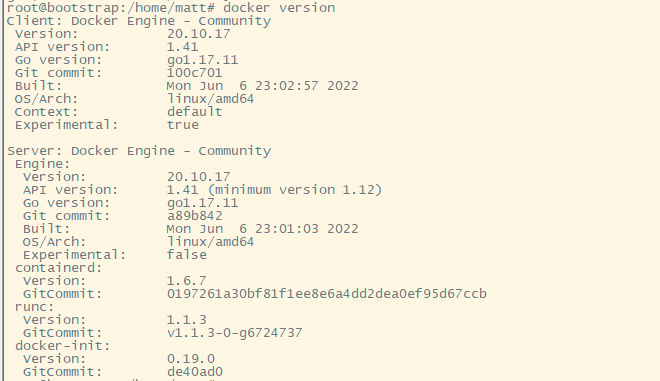
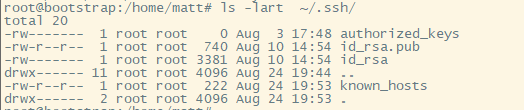
After you’ve deployed the vm and setup all the required packages using the above commands, you can test a few things to make sure everything is working.