So now that we have our SuperMicro server setup, and we’ve installed ESXi7, the next step is to do some basic configuration on our BareMetal ESXi7. We will setup the network, view the storage, and prepare the esxi for the nested esxi environment.
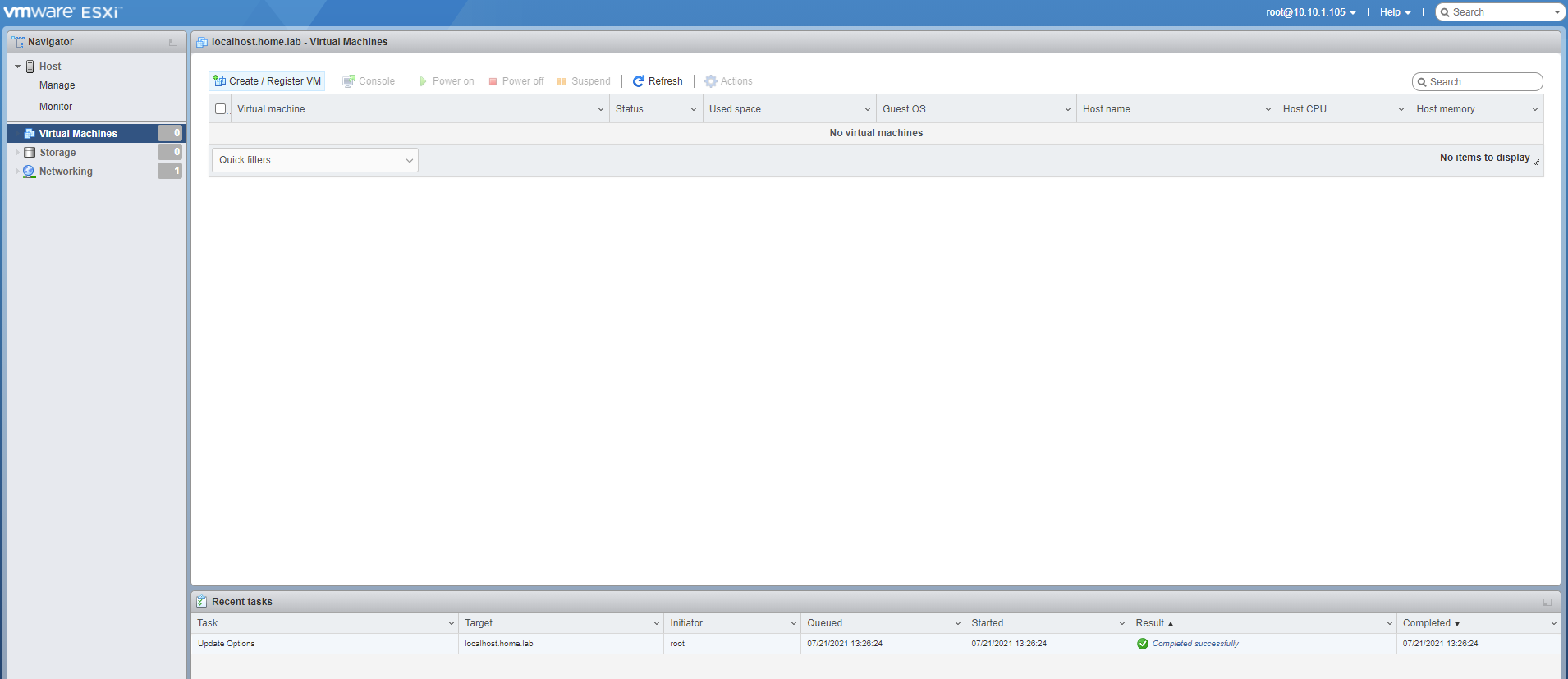
Log in to the UI of the baremetal Esxi device, and you’ll see a screen like this
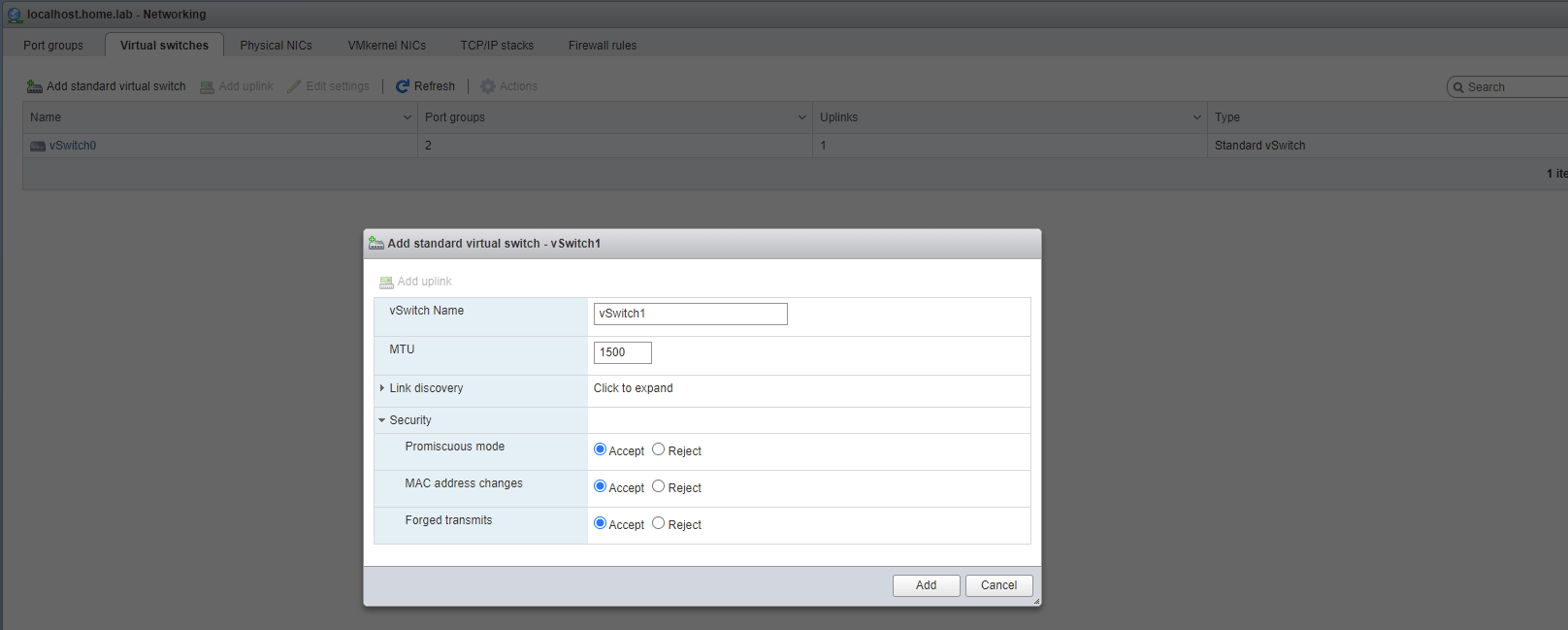
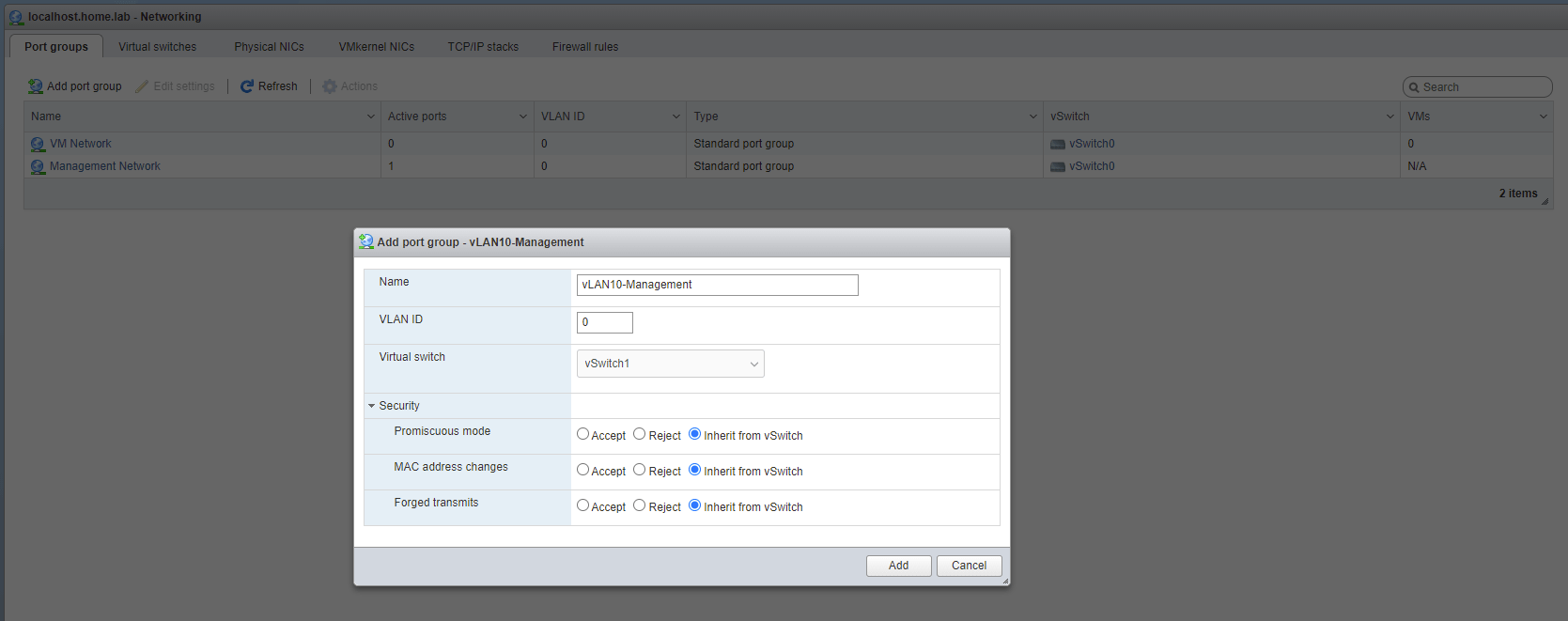
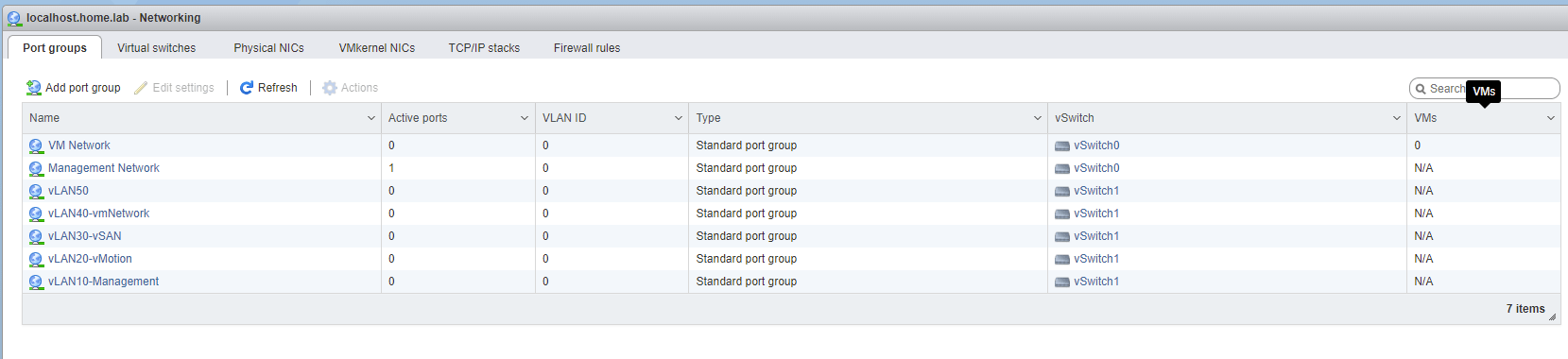
Navigate to the Networking tab, and select physical Nics. As you can see I have 4 physical NICs on my SuperMicro, and I have my ethernet plugged into vmnic1.Navigate to the Virtual Switches tab, we will need to create 1 more virtual switch.Click “Add standard virtual switch” and configure using the details above. Make sure to open the Security tab and Accept all the options: Promiscuous Mode, MAC address changes, and Forged transmits. Click add and you will see a screen like this.Navigate to the port groups tab, it’s time to create our networks.Create the first network with the options listed above. We’re going to repeat these steps to create 4 more networks.Here’s a list of the networks that you should have. Note that the vSwitch is vSwitch1 for vlan10-50. I’m not doing vlan tagging in my setup, feel free to do it on your end if you prefer.
Storage Configuration
You should see your SSD here. I have a 2GB SSD, but you should see your physical disk listed here.
This is basically the whole setup for the baremetal. Next step will be deploying the esxi vms.