Skip to content

Matt Adam

Tech Blog

Menu
  • Home
  • Home Lab
    • Home Lab – Gen 1
    • Home Lab – Gen 2
    • Home Lab – Gen 3
  • VMware
    • VMware Cloud Foundation (VCF)
    • Avi Networks
  • Kubernetes
    • Openshift
    • K3s
    • Tanzu
      • Tanzu – TKGs (WCP)
      • Tanzu – TKG (TKGm)
    • Avi Kubernetes Operator (AKO)
  • About
  • Privacy Policy
Menu

Tanzu Kubernetes on vCenter 7 – Namespace Setup

Posted on July 27, 2021 by Matt Adam

After deploying the supervisor cluster, the next step is to setup the namespace where we will deploy our guest cluster.

Table of Contents

Toggle
  • Create Namespace
  • Configure Dev Namespace

Create Namespace

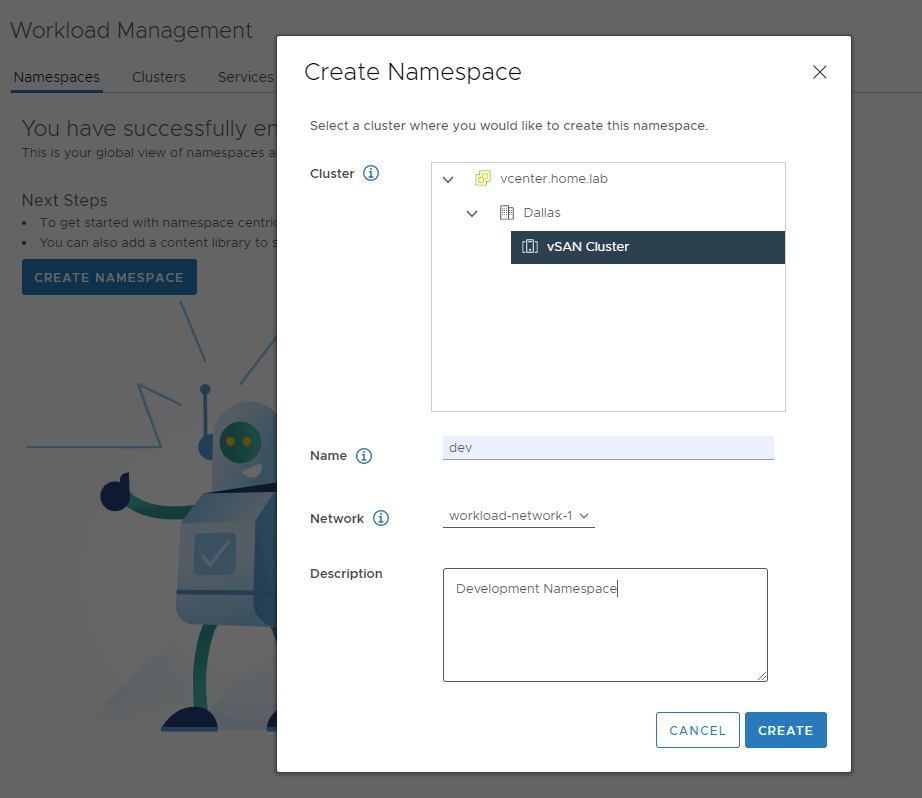
In the Menu click Workload Management. Then navigate to the Namespaces tab. Click Create Namespace.
Select the vSAN cluster and choose a name, I’m using “dev” Then select the workload network and finally add a description.
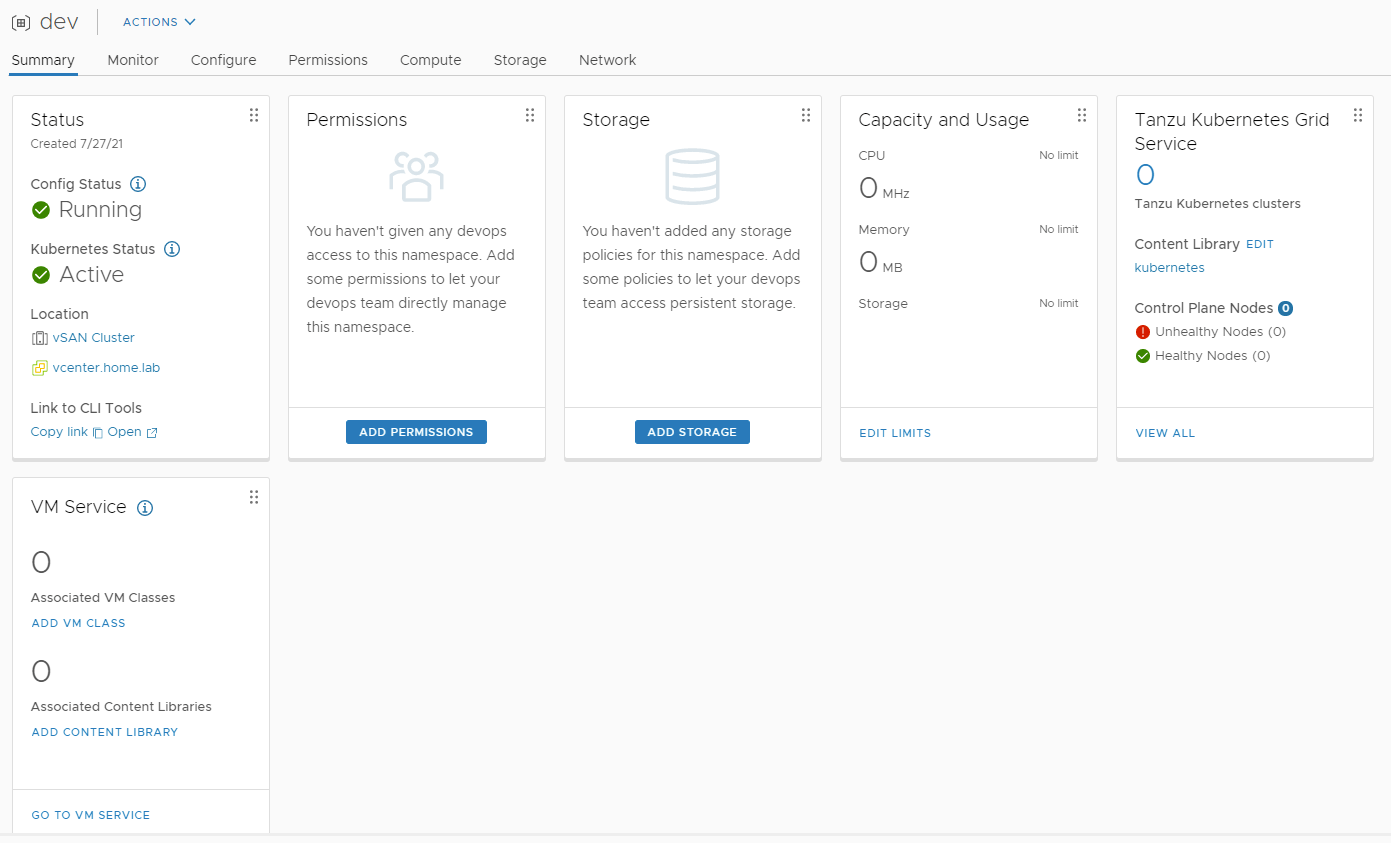
You should see the config status “Running” and kubernetes status “Active”. We need to configure Permissions, storage, capacity and usage, and the associated vm classes and content libraries for this namespace.

Configure Dev Namespace

Click Permissions and configure as shown above. If you’re using a different user, you can configure that here. I’m simply using the administrator for all access. Click OK.
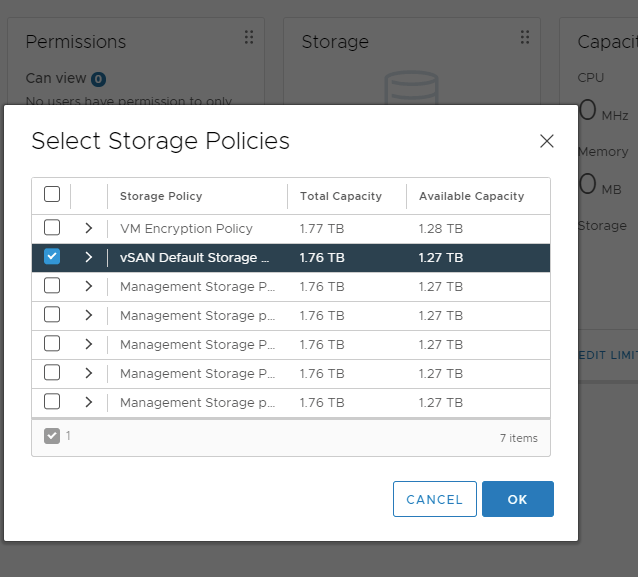
Select Storage and choose the vSAN Default Storage Policy. Click OK.
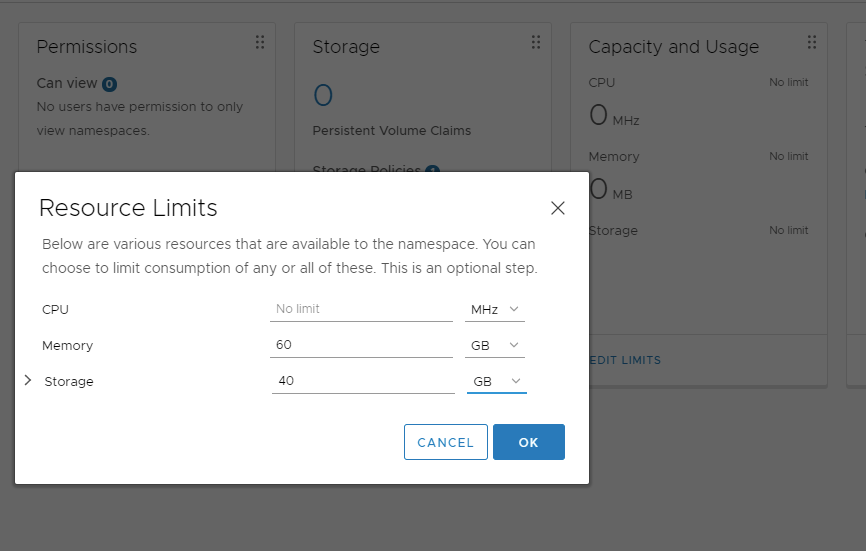
Under Capacity and Usage, configure as shown above. I’m setting limits on memory and storage, but not CPU.
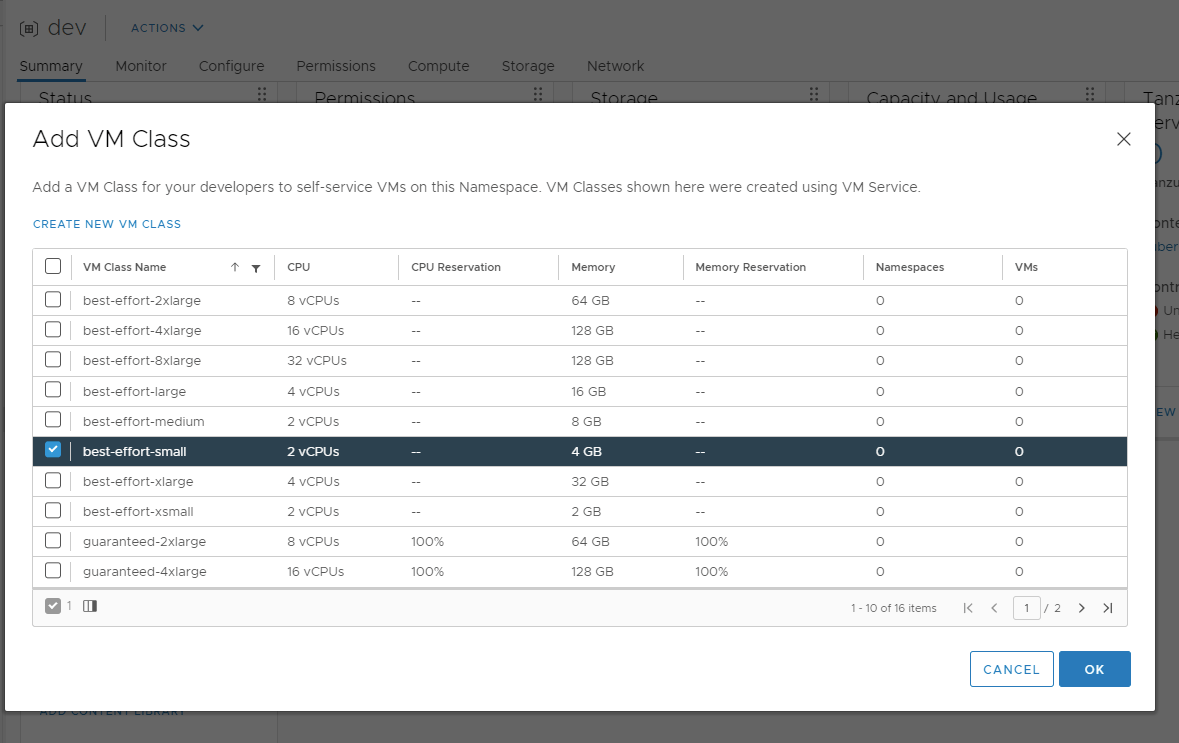
In the VM Service section, click Add VM Class and select the “best-effort-small” class. This will provide enough cpu and memory to the vms to handle a few deployments. If you need more, “best-effort_medium” would be a good fit as well.
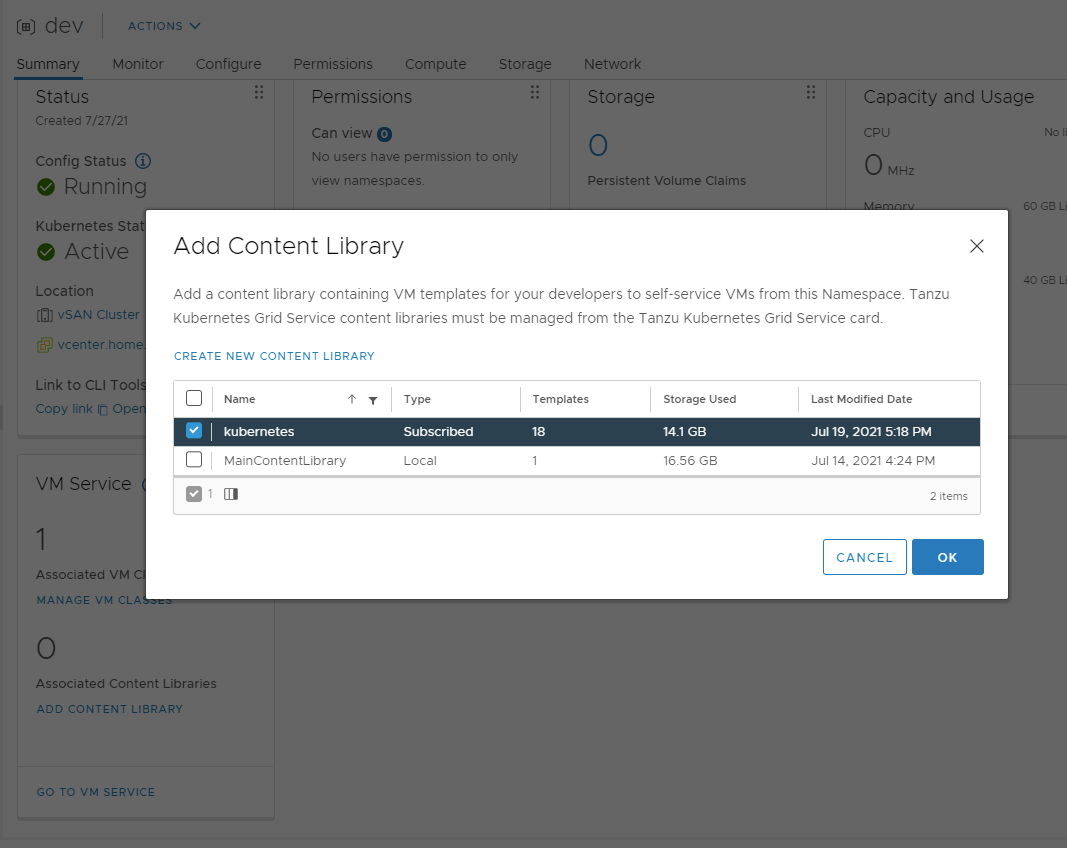
Lastly, select the Add Content Library under VM Service, and add the kubernetes library.
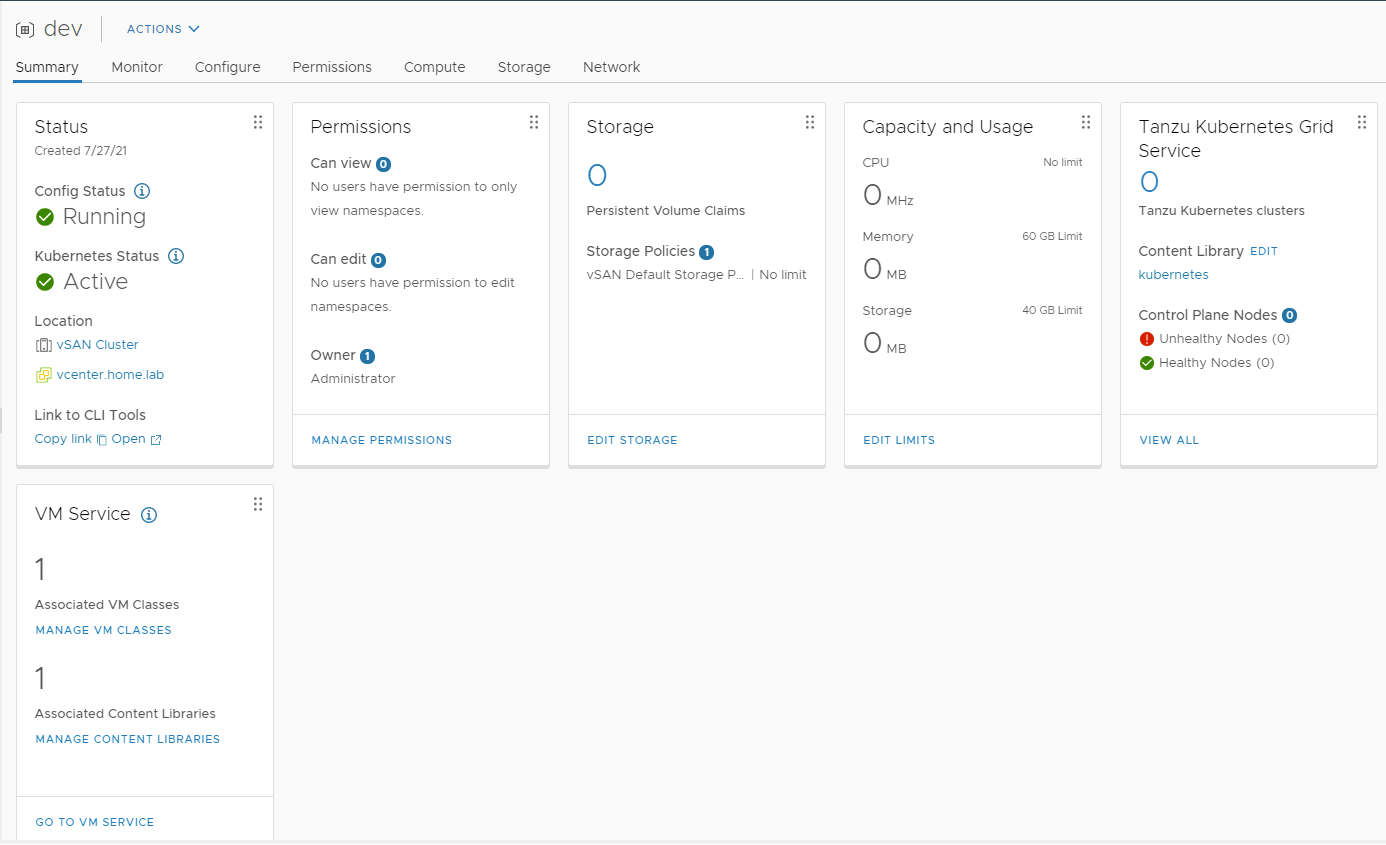
Finished setup will look something like this.
Social Media

  • LinkedIn
  • X
  • Bluesky
  • Mastodon

Recent Posts

  • Financial Solutions for ETF share classes
  • Power Consumption Tips for Efficient Home Labs: Save Energy, Save Money
  • Automating Deployments with Terraform in a Home Lab: A Simple Guide for Tech Tinkerers
  • Backup Strategies for Home Lab Data: A Beginner’s Guide to Keeping Your Files Safe
  • Home Lab Monitoring with Grafana and Prometheus: How to Track Your Systems Like a Pro
© 2026 Matt Adam | Powered by Minimalist Blog WordPress Theme